Any button.
Any action.
Turn the volume rocker, a keyboard, a remote, a pedal or a controller into shortcuts for media, the flashlight, screenshots, apps and text. No ads, no account.
Free to try · Pro once or yearly · Phone & tablet
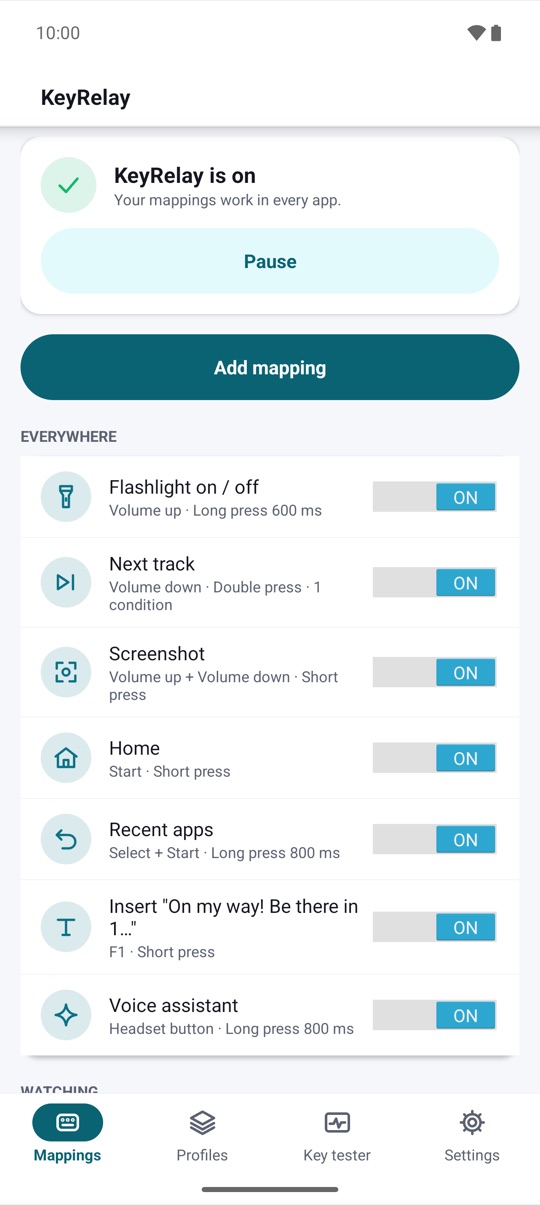
Press a key.
Pick an action.
Done.
How it works
Map a key in a minute.
Then just press it.
Three steps, and nothing to sign up for.
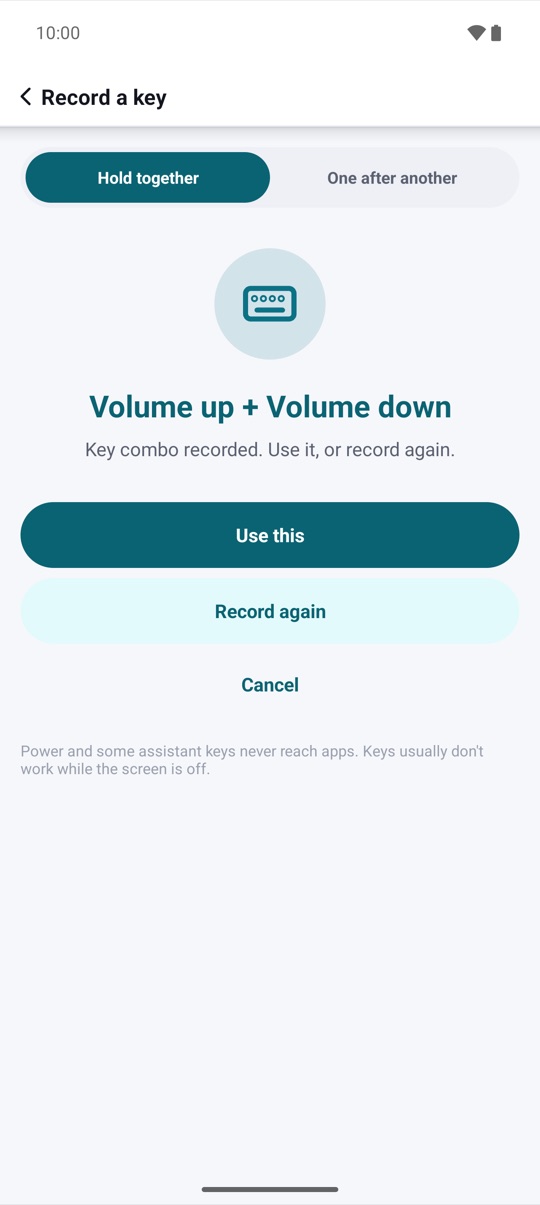
- 01Record a keyPress the key you want to change: a volume key, a keyboard key, a remote or controller button. Hold several together for a combo, or press them one after another for a sequence.
- 02Choose an actionBack, Home, a screenshot, the flashlight, the next track, an app, a link, your own text and many more. Short, long or double press, your choice.
- 03Turn on KeyRelayKeyRelay explains on its own screen what its Accessibility service can and can't do. You agree, switch it on in Settings, and your keys start working in every app.
Actions
System, media, apps
and text.
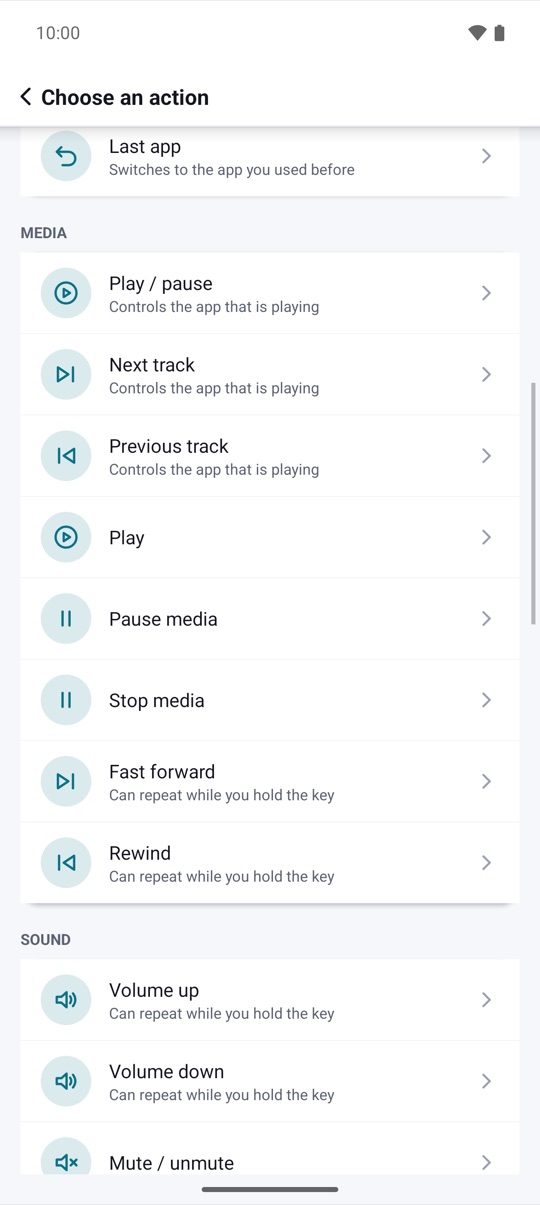
Go back or home, open recent apps or the last app, take a screenshot, lock the screen, skip a track, change the volume, switch on the flashlight, open an app or a settings panel, or type a snippet into the field you are in.
- Global actions on the Android versions that have them
- Media control for whatever app is playing
- Brightness, rotation, ringer and Do Not Disturb, asked only when you use them
Triggers
Short, long, double,
combos and sequences.
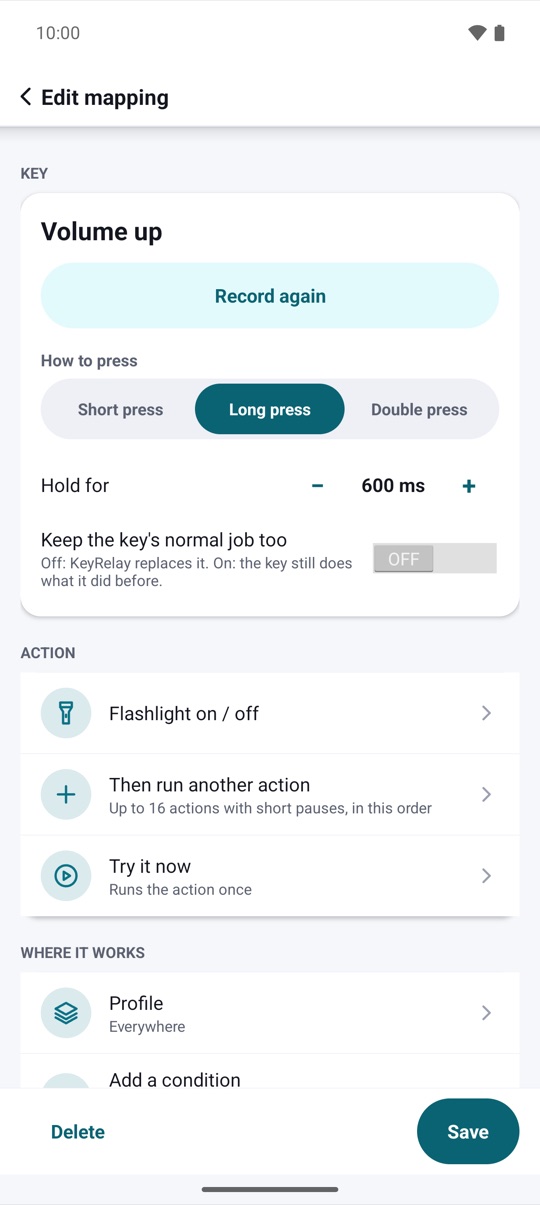
One key can do three things: a short press, a long press and a double press. Hold two or three keys together for a combo, or press up to four in a row for a sequence. Keep the key's normal job too if you like.
- Long press from 300 to 1500 ms, double press window from 150 to 600 ms
- Volume, brightness and seeking repeat while held, at most 10 per second
- Keys without a normal code matched by scan code
Profiles
Different keys
in different apps.
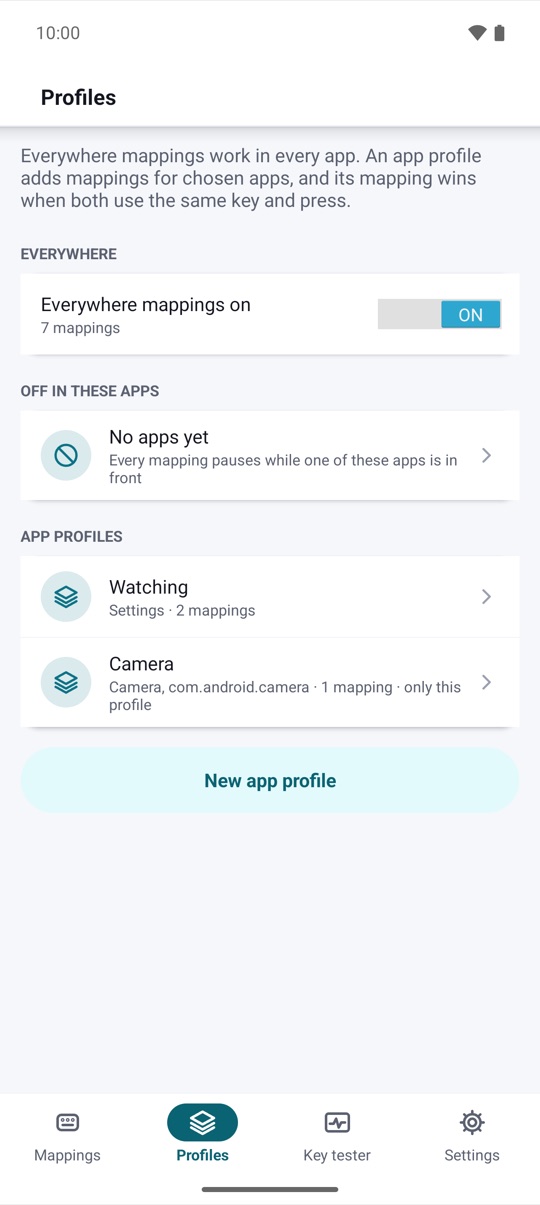
Everywhere mappings work in every app. An app profile changes what keys do while that app is in front, and the free "Off in these apps" list leaves the apps you choose alone.
- App profiles switch by themselves
- Conditions: lock screen, charging, headphones, a device, time, orientation, media
- Off in these apps, free
Key tester
See every key
Android sends.
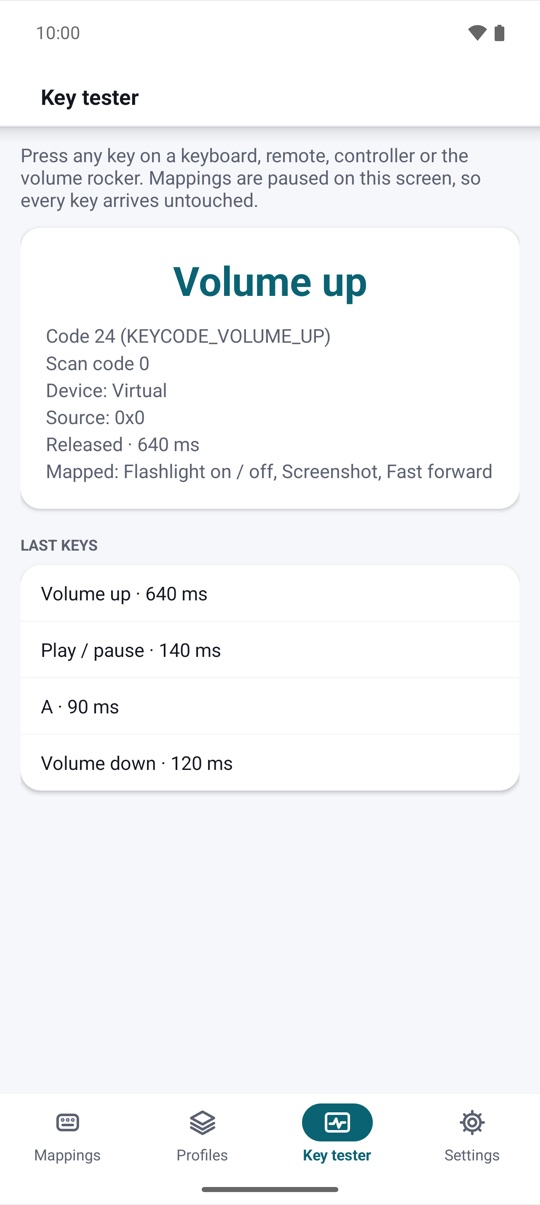
Not sure what a button does? The key tester shows the key code, scan code, device and how long you held it, for any key that reaches apps.
- Codes, scan codes and devices
- Hold time for each press
- Mappings pause while you test
Privacy
Your presses
stay on your phone.
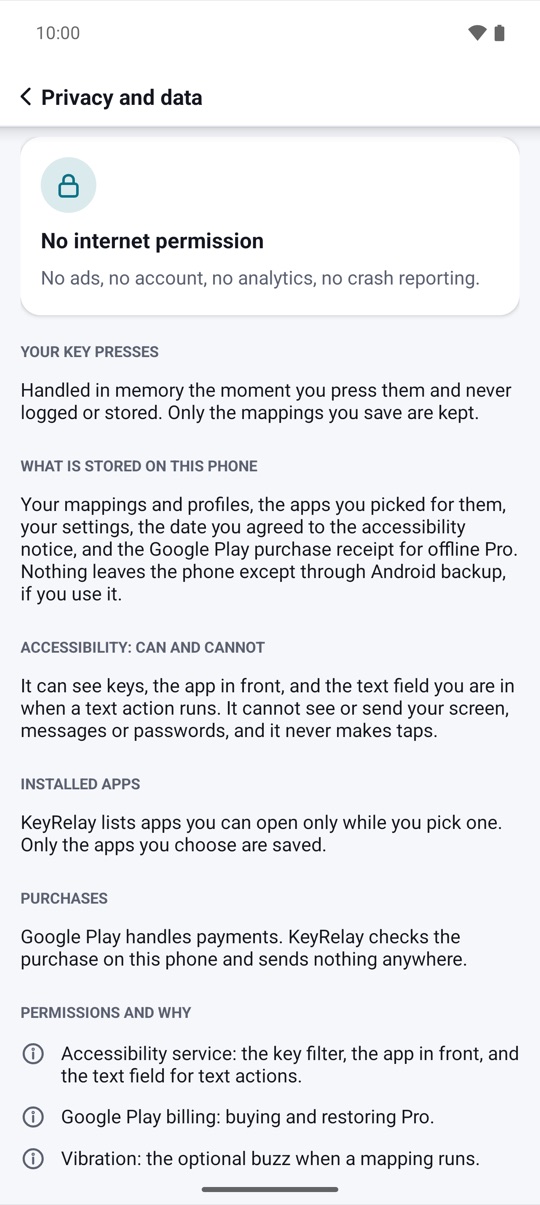
KeyRelay handles key presses in memory and never logs them. It stores only the mappings you save, has no account, no ads and no analytics, and backs up to a file you keep.
- Key presses never logged or stored
- No account, no ads, no analytics
- Backup and restore, free
And more
The small things,
done right.
How presses are told apart
Short, long or double:
you set the timing.
A short press runs as soon as the key goes down. When the same key also has a long press, KeyRelay waits until you let go or until the hold time passes. A double press needs the second press inside the window you set.
- Short press: down and up quickly
- Long press: held past the hold time (dashed line)
- Double press: a second press inside the window
Illustrative example with a 500 ms hold time and a 300 ms double-press window.
Honest compatibility
What works
on which Android.
KeyRelay lists what works on your phone in Help, and actions your Android doesn't have stay visible but disabled.
| Android | Key mapping | Split screen | Lock screen and screenshot | All apps, close notifications | Settings panels |
|---|---|---|---|---|---|
| 6 | Yes | No | No | No | Settings pages |
| 7–8.1 | Yes | Yes | No | No | Settings pages |
| 9–11 | Yes | Yes | Yes | No | Yes (10+) |
| 12–16 | Yes | Yes | Yes | Yes | Yes |
Key mapping uses Android's Accessibility service, turned on by you. Android never hands some keys to apps: power, most assistant buttons and keys pressed while the screen is off. If Android's Advanced Protection is on, it blocks accessibility for apps like KeyRelay.
Pricing
Free to try.
Pro when you're ready.
The free version has 5 mappings with short and long press, every action except text snippets and Do Not Disturb, the off list, backup and the key tester. Pro removes the limits.
KeyRelay Pro
- Unlimited mappings
- Double press, combos and sequences
- App profiles and all conditions
- Action lists and text snippets
- Do Not Disturb and importing shared mappings
Lifetime: US$3.99, one payment. Yearly: US$1.99 per year; it renews automatically, cancel anytime in Google Play › Subscriptions. US prices; Google Play shows the price in your currency. Google Play's refund policy applies.
No catch.
Privacy
Your presses
stay on your phone.
Key presses are handled in memory and never logged. Only the mappings and settings you save are stored, on your device only.
Only what you share yourself, such as a .keyrelay backup file. Payments are handled by Google Play; KeyRelay checks your purchase on the device. Privacy policy →
Questions,
answered.
Which keys can I map?
The volume keys, headset and media buttons, keys on Bluetooth and USB keyboards, remotes and pedals, and buttons on most controllers that Android recognizes. Open the key tester: if a key shows up there, KeyRelay can map it.
Which keys can't be mapped?
Android keeps some keys to itself: the power button, most assistant buttons, and keys pressed while the screen is off. Some phones also keep their own extra buttons.
Why does it ask for Accessibility?
To see the keys you press so your mapped keys can run their actions, to know which app is in front for app profiles, and, only for text actions, to find the field you are typing in. It does not read your messages or passwords, does not act on its own and sends nothing anywhere. You see a clear explanation and agree before KeyRelay opens the settings.
What if a mapping goes wrong?
Hold Volume Up and Volume Down together for 3 seconds: every mapping pauses and your keys work as usual again. Resume from the app, the tile or the widget.
What do I get for free?
5 mappings with short and long press, every action except text snippets and Do Not Disturb, repeat while held, the app-in-front condition, the off list, backup and the key tester. The free version never expires.
Can I move my mappings to a new phone?
Yes. Back up to a .keyrelay file and restore it on the new phone. Pro comes back automatically on the same Google account.